
Your role says allow. So why is the request denied?
AWS, Google Cloud and Azure all evaluate access the same way: explicit deny, then allow, then implicit deny. Here's how to use that for least privilege.

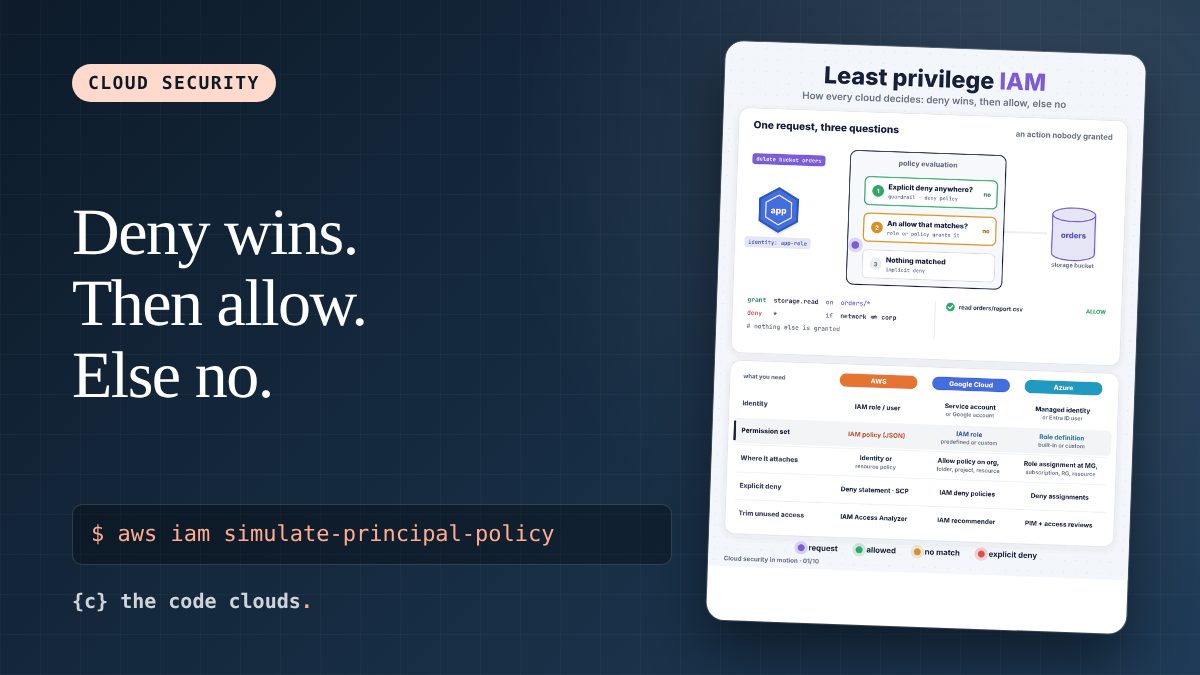
You've attached the role. The policy clearly says s3:GetObject on the bucket. The request still comes back AccessDenied, and now you're reading JSON line by line looking for a typo that isn't there.
Most of the time the policy is fine. Something else said no first. Once you know the order in which the cloud asks its questions, these errors get a lot less mysterious.
Three questions, always in this order
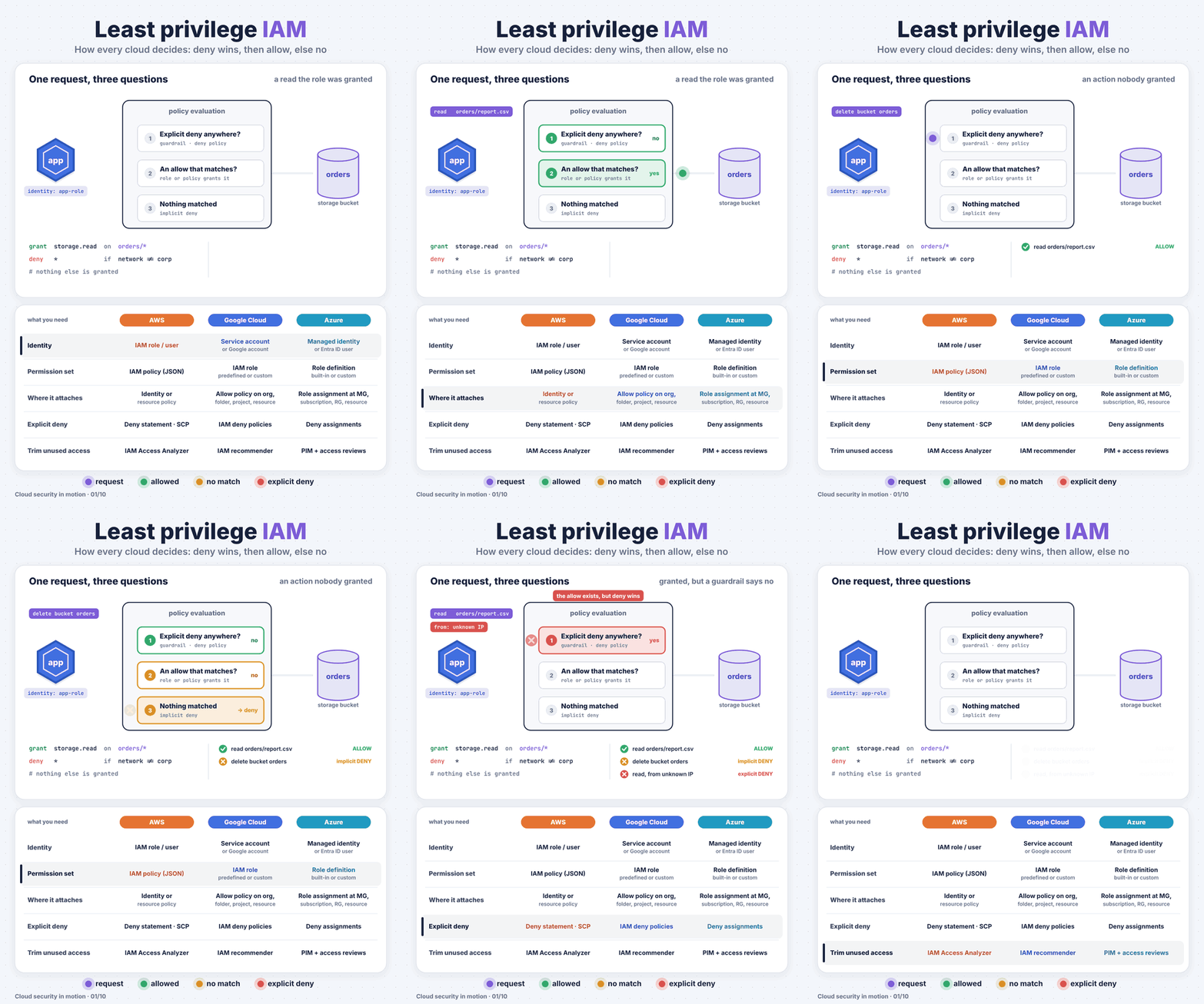
Every API call in AWS, Google Cloud and Azure goes through roughly the same evaluation:
- Is there an explicit deny that matches? A deny statement, a guardrail, a deny policy. If yes, the answer is no. No allow anywhere can override it.
- Is there an allow that matches this identity, action and resource? If yes, the request goes through.
- Nothing matched? Then it's an implicit deny. You never have to write "deny everything else". It's the default.
That's why the animation shows three different results. Reading orders/report.csv is allowed because the role grants it. Deleting the bucket is denied because nobody granted it, which is the implicit deny. Reading the same file from an unknown network is denied even though the allow exists, because a guardrail with an explicit deny matched first.
In AWS there's one more twist worth knowing. Boundaries like Service Control Policies and permissions boundaries don't grant anything. They cap what can be granted. An action has to be allowed by the identity policy and fall inside every boundary. So "my role allows it" isn't the whole story if an SCP at the organization level doesn't.
Same model, different names
| AWS | Google Cloud | Azure | |
|---|---|---|---|
| Grants | IAM policies on users and roles, resource policies | Role bindings at org, folder, project or resource | Role assignments at management group, subscription, resource group or resource |
| Explicit deny | Deny statements, SCPs | IAM deny policies | Deny assignments (created by Azure features such as deployment stacks, not written by hand) |
| Finding unused access | IAM Access Analyzer, last accessed data | IAM recommender | Access reviews, Entra ID PIM reports |
| Temporary admin | Short sessions, IAM Identity Center | Privileged Access Manager | Privileged Identity Management (PIM) |
Debug the denial instead of guessing
Before you widen a policy, ask the cloud why it said no. All three have a tool for it.
On AWS, simulate the exact call:
aws iam simulate-principal-policy \
  --policy-source-arn arn:aws:iam::123456789012:role/orders-app \
  --action-names s3:GetObject s3:DeleteBucket \
  --resource-arns arn:aws:s3:::orders/report.csv arn:aws:s3:::orders
The output shows allowed, implicitDeny or explicitDeny for each action, and which statement matched. The implicitDeny vs explicitDeny difference is the whole point of this article: one means "add a grant", the other means "find the deny".
On Google Cloud, the Policy Troubleshooter does the same:
gcloud policy-intelligence troubleshoot-policy iam \
  //storage.googleapis.com/projects/_/buckets/orders \
  --principal-email=orders-app@my-project.iam.gserviceaccount.com \
  --permission=storage.objects.get
On Azure, start by listing what the identity actually has, at every scope:
az role assignment list --assignee <object-id> --all -o table
Then check the resource's Access control (IAM) blade for deny assignments.
Least privilege that survives real life
"Least privilege" sounds like a one-time design task. In practice it's a habit. A few that work:
- Start narrow and add when something breaks. It's much easier than starting wide and trying to take things away later, when nobody remembers why they were added.
- Scope to resources.
arn:aws:s3:::orders/*instead of*. Most incidents use permissions nobody needed in the first place. - Use the recommenders. They compare what was granted with what was used in the last 90 days. That's the evidence you need to remove access without arguing about it.
- Make admin temporary. Just-in-time elevation for an hour beats a permanent admin role that sits there waiting to be phished.
- Put the "never ever" rules in guardrails. Things like "no public buckets" or "nothing outside these regions" belong in an explicit deny at the top. Then even an admin's mistake can't undo them.
One thing to try this week
Pick one production role and pull its last-accessed data. On AWS that's the Access Advisor tab on the role, or:
aws iam generate-service-last-accessed-details --arn arn:aws:iam::123456789012:role/orders-app
Look for services that haven't been touched in 90 days. Removing those is the cheapest security improvement you'll make all month.